Marlow StudioClient welcome
What’s your
business called?
Alder & Co.
Continue One question at a time
A focused conversation, with room for a helpful explanation before the next question.
Give clients one focused place to provide their information, while your documents and connected questions stay organised behind the scenes.
Book a demoWatch the 32-second storyA Marlow Studio client welcome, project brief and annual review show conversational, sectioned and all-fields form layouts.
A quick introduction, a detailed brief or a returning client’s update. Choose how the questions are presented, while keeping the same information connected behind them.
A focused conversation, with room for a helpful explanation before the next question.
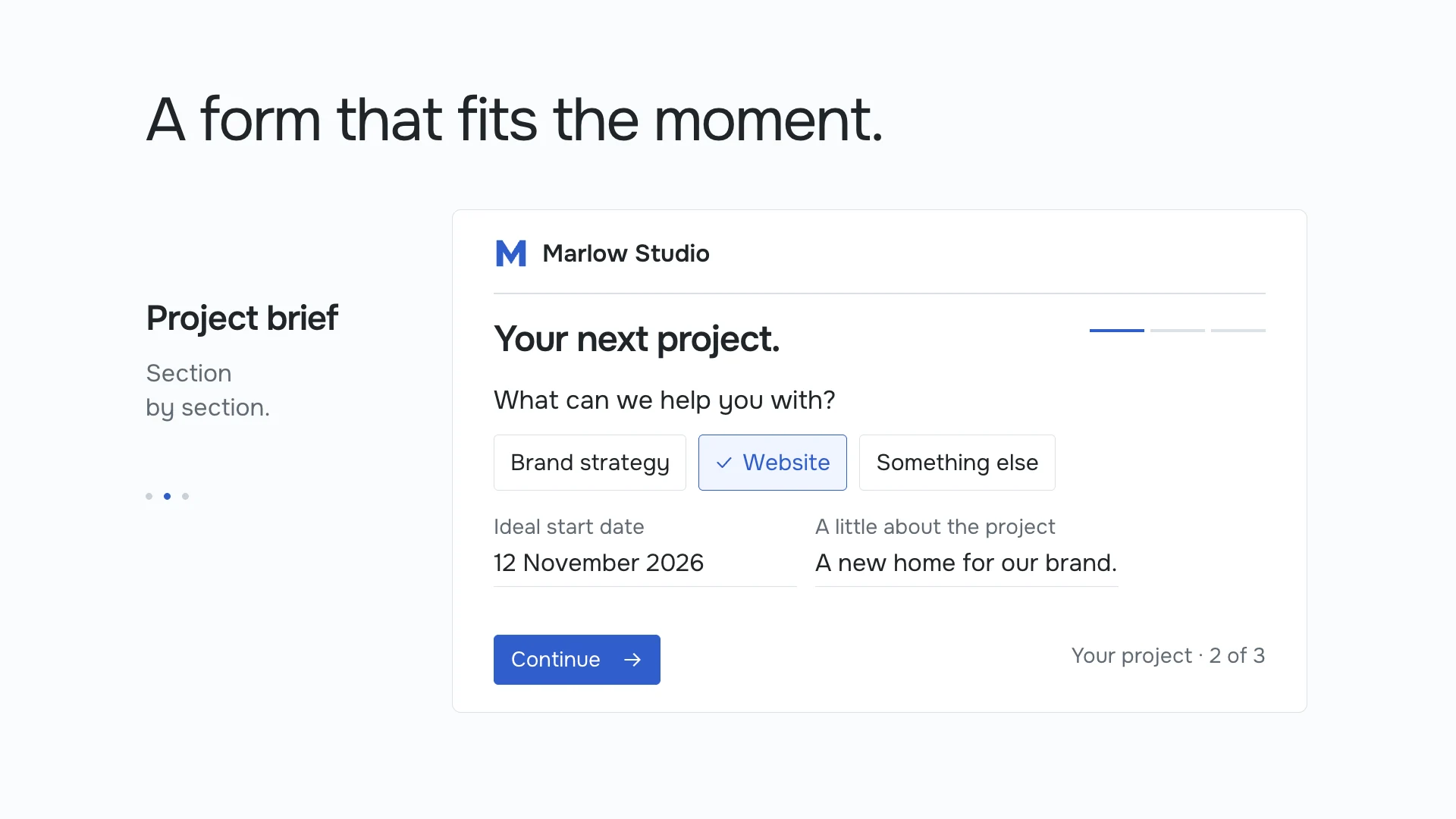
Group a longer form into clear sections, so clients can work through one topic at a time.
Let clients scan the details together when a compact, familiar layout suits the task.
Illustrative forms and business details. Presentation changes how you ask, not what an answer means.
A profile asks for “Business name”. An agreement says “Company name”. A brief asks for “Organisation”. Your client shouldn’t have to repeat an answer when your team has confirmed that these questions mean the same thing.
Connect those questions to shared fields, then build the client form from the distinct information the packet needs. Keep genuinely different questions separate.
See how shared information connectsIn the film, nine questions become five after review. The reduction depends on the documents and meanings in your own workflow.
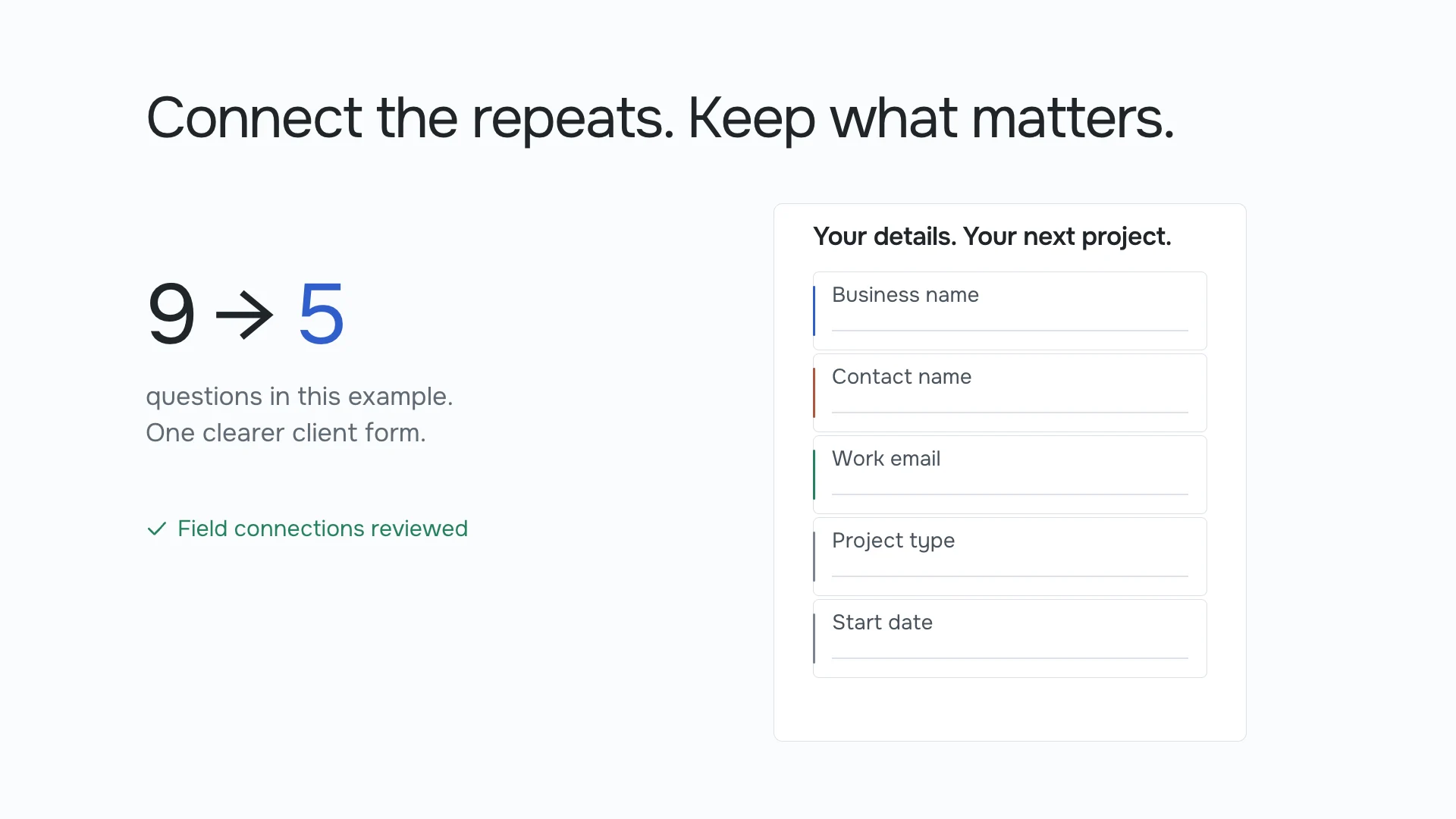
Business name, contact name and email are repeated across three documents. Confirmed shared meanings reduce nine questions to five distinct fields.
Where your workflow allows existing information to be reused, bring it into the form. Give clients a chance to check the details and focus their effort on the gaps.
In our example, the business, contact and email are already known. The client adds the project type and start date, then reviews the complete set before submitting.
Client project details
One submission can support several documents. Use approved answers in the places your team has mapped, so a client profile, agreement and project brief can move forward together.
Your team reviews the prepared packet before the next action. Submitting a form doesn’t automatically send completed documents.
Explore the connected workflow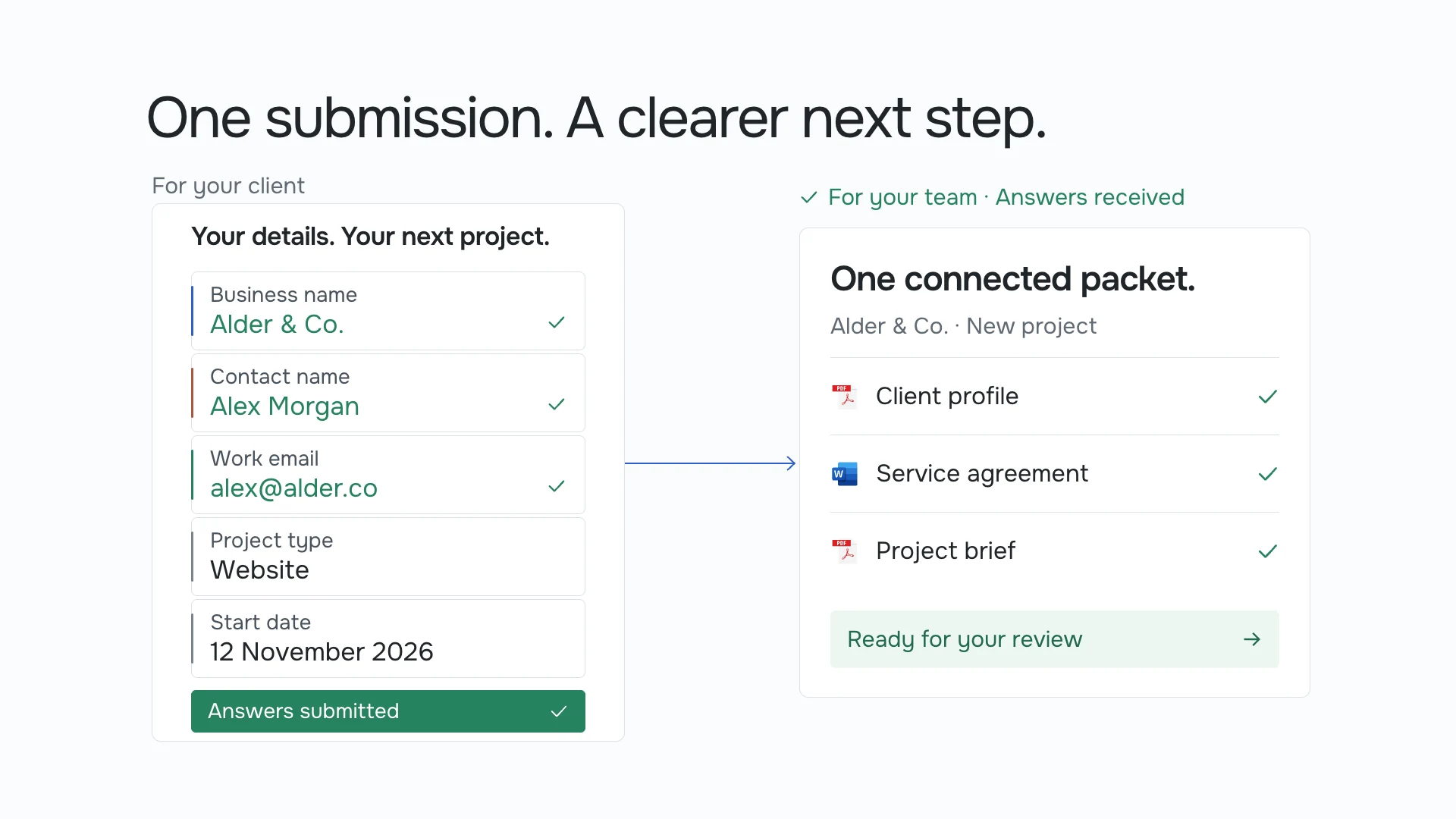
The client submits five answers. A client profile, service agreement and project brief are prepared for the team to review.
Use a conversational layout for one question at a time, section pages for related questions, or an all-fields layout for a compact overview. Choose the presentation that fits the task and the people completing it.
Your team reviews questions across the selected documents and connects those that mean the same thing to shared fields. The client form can then ask for each distinct answer once. Similar wording alone is not enough to combine questions.
Where the workflow permits existing information to be reused, it can be presented for checking. Missing or review-required answers still need attention. Available data depends on your connections, access and configured process.
Shape the wording, help text, colours, typography, spacing and supported layouts. Organise related questions into sections and make the actions clear. Presentation settings do not remove required answers or change the underlying validation rules.
The amount of repetition varies. The film’s nine-to-five reduction is an illustrative example, not a promised result. Questions with different meanings stay separate, even when their labels look similar.
No. Submission and completion are separate steps. Review and any output approvals remain part of the workflow.
Tell us what your team needs to get done. We’ll show you where Inloom fits.
Book a demo